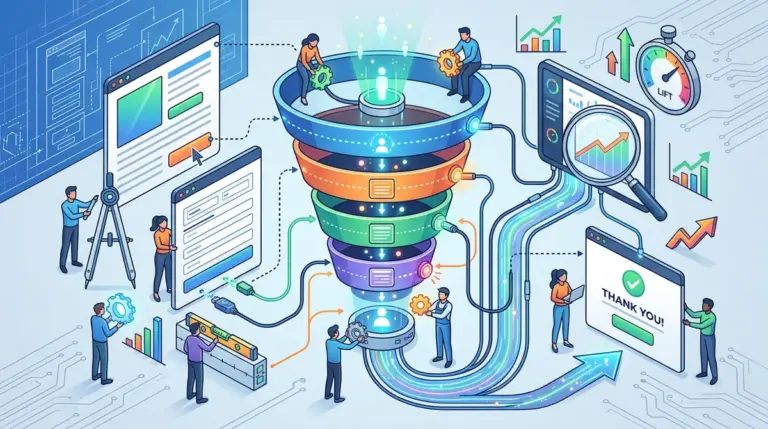
Analyzing a site-wide conversion rate is the fastest way to make expensive mistakes in CRO. A blended conversion rate of 3% tells you nothing if your organic search traffic converts at 8% while your paid social traffic is stuck at 0.5%. When you optimize for the average, you risk degrading the experience for your most profitable users to accommodate window shoppers. Effective conversion rate optimization requires isolating traffic sources to understand the specific intent, friction points, and expectations of each cohort.
The Failure of Blended Conversion Rates
Most marketing dashboards prioritize "Average Conversion Rate" as a primary KPI. This metric is a mathematical abstraction that masks reality. If you run a split test on a landing page and see a 5% lift, but 80% of your traffic comes from a low-intent display campaign, that "win" might actually be a loss for your high-intent search users. You cannot treat a user who searched for a specific SKU the same as a user who clicked an interruptive ad while scrolling Instagram.
Impact of Blended Data:
- Diluted Insights: High-performing channels hide the failures of underperforming ones.
- Misallocated Budget: You may double down on a channel that appears to convert well but only because it captures "brand" search rather than generating new demand.
- Incorrect Test Winners: A layout that works for mobile social users might frustrate desktop B2B researchers, leading to a "winning" test that lowers overall LTV.
Categorizing Traffic by Intent Profiles
To segment effectively, you must move beyond the source/medium label and categorize traffic by the user's psychological state. This is the foundation of intent-based CRO.
High-Intent: Organic and Paid Search
Users arriving via specific long-tail keywords or brand searches have a defined problem they are looking to solve. They are often in the "Evaluation" or "Purchase" phase. For these users, your CRO efforts should focus on removing friction, providing technical specifications, and streamlining the checkout or lead-gen form. They don't need a long-form emotional sales letter; they need to know if you have the solution and how much it costs.
Discovery-Phase: Paid Social and Display
Traffic from Meta, TikTok, or YouTube is usually interruptive. These users were not looking for you. Consequently, their bounce rates are higher and their attention spans are shorter. CRO for this segment requires "bridge" content—quizzes, lead magnets, or educational landing pages—rather than direct "Buy Now" pushes. Segmenting this traffic allows you to build dedicated funnels that acknowledge their low-intent starting point.
Referral and Affiliate Traffic
Referral traffic often carries the "borrowed authority" of the referring site. If a user comes from a trusted review site, they may skip the initial trust-building phases of your funnel. Analyzing this segment separately helps you understand if your landing page is reinforcing or contradicting the message they saw on the previous site.
Pro Tip: The Sampling Trap
When segmenting in GA4 or Adobe Analytics, ensure your date range provides a statistically significant sample for each source. A 50% conversion rate on 10 clicks from a niche referral site is noise. Always validate source-specific lifts with a minimum of 200–300 conversions per segment before reconfiguring your permanent site architecture.
Technical Segmentation: Identifying Friction Points
Intent is only half the battle. Technical performance varies wildly across sources. For example, paid social traffic is almost exclusively mobile, while organic B2B search often skews toward desktop. If your mobile site speed is lagging, your "Paid Social" conversion rate will suffer, but it’s a technical failure, not a creative one.
Key Technical Segments to Monitor:
- Device Category x Source: Does your LinkedIn traffic (mostly mobile) convert differently than your Direct traffic (mostly desktop)?
- Browser Performance: Safari users (often iOS) frequently show different behavior patterns than Chrome users due to tracking protections and demographic differences.
- Landing Page Load Time by Channel: Heavy ad-tracking scripts can slow down landing pages specifically for paid traffic, leading to higher bounce rates that organic users don't experience.
UTM Architecture for Granular CRO Analysis
You cannot segment what you do not track. A lazy UTM strategy—or worse, no UTM strategy—collapses your data into "Direct" or "Unassigned" buckets. To make informed CRO decisions, your UTM parameters must be granular enough to distinguish between different offers, creative types, and audiences.
Instead of just utm_source=facebook, use utm_content to track the specific hook or creative style. This allows you to see if "Benefit-Driven Creative A" leads to higher form completion rates than "Fear-Based Creative B." Often, the "winner" of a CRO test is determined by the creative that sent the user to the page. If the landing page copy doesn't mirror the ad copy, the cognitive dissonance kills the conversion.
Executing a Segmentation Audit
To begin segmenting for CRO, start with a 90-day retrospective audit. Create a custom exploration in your analytics tool that dimensions "Session Source/Medium" against "Conversion Rate," "Average Session Duration," and "Key Events per Session."
Look for outliers. Identify the channels with high traffic but low engagement. These are your biggest opportunities for CRO "quick wins." Often, simply changing a headline to match the top-referring keyword for a specific segment can result in a double-digit lift in conversions without changing anything else on the site.
Building Your Segmentation Roadmap
Stop looking at the "All Users" segment. Your next move should be to isolate your top three traffic sources and map their unique user journeys. Identify where the drop-off occurs for each. If paid traffic drops off at the pricing page while organic traffic drops off at the cart, you have two different problems requiring two different CRO strategies. Build specific hypotheses for each segment, test them in isolation, and only roll out site-wide changes when the data proves a universal benefit. This disciplined approach ensures you are not sacrificing your best customers for the sake of a vanity metric.
Frequently Asked Questions
How do I handle "Direct" traffic that is actually misattributed?
Direct traffic is often "Dark Social" or missing UTMs. To clean this up, look at the landing pages for Direct traffic. If they are hitting deep-funnel pages or specific campaign URLs, you can reasonably infer the source and apply those insights to your CRO strategy for those specific pages.
Is it better to have one landing page for all sources or multiple pages?
For high-volume campaigns, dedicated landing pages are superior. They allow for "Message Match," where the headline and offer exactly mirror the source. If you must use one page, use dynamic text replacement (DTR) to swap headlines based on UTM parameters.
What is the most important segment for a new CRO program?
Start with your highest-spend paid channel. Because every click has a direct cost, improving the conversion rate here provides the most immediate and measurable ROI, which helps secure buy-in for further testing across organic and referral channels.