

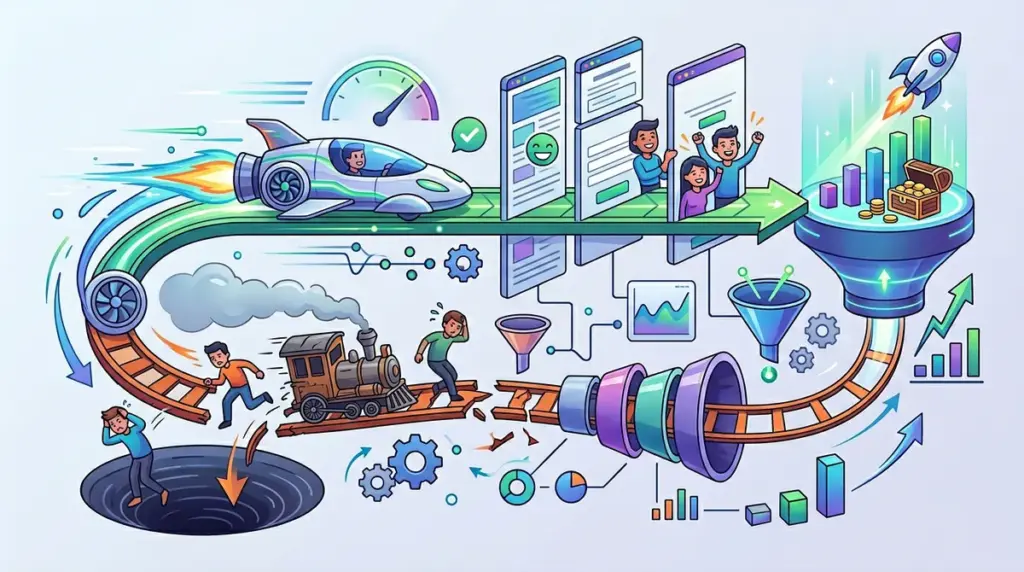
Most performance marketers treat page speed as a technical SEO checkbox to satisfy Google’s Core Web Vitals. This is a tactical error. Speed is not just a ranking factor; it is the fundamental friction point of your sales funnel. When a landing page takes three seconds to load instead of one, you aren't just losing "user experience" points—you are actively paying for bounces. For every 100ms of latency, conversion rates typically drop by 7%, meaning a two-second delay can effectively slash your ROAS by double digits before a user even sees your headline.
The Psychological Link Between Latency and Trust
In a high-intent environment, speed is a proxy for professional competence. If a site feels sluggish, the subconscious takeaway for the visitor is that the company is either outdated or technically incapable. This is particularly lethal for B2B SaaS and high-ticket e-commerce where trust is the primary currency. A fast-loading page lowers the cognitive load required to navigate your offer, allowing the user to focus on your value proposition rather than the mechanics of the browser.
Impact on Paid Traffic: If you are running Meta or Google Ads, your "Landing Page Experience" score is heavily weighted by load times. Slow pages lead to higher CPCs and lower ad auctions. You are essentially being taxed twice: once by the ad platform and once by the user who bounces out of frustration.
Core Web Vitals as Conversion Killers
To move the needle on revenue, you must look past the generic "Performance Score" and focus on the specific metrics that disrupt the user's path to purchase.
Largest Contentful Paint (LCP) and the "First Impression"
LCP measures when the largest visual element on the screen becomes visible. If your hero image or primary CTA takes four seconds to render, the user is staring at a white screen. In mobile environments, where network stability fluctuates, a high LCP is the leading cause of "pogo-sticking"—where users click an ad and immediately hit the back button because they assume the link is broken.
Cumulative Layout Shift (CLS) and Transactional Friction
CLS measures visual stability. We have all experienced the frustration of trying to click a "Buy Now" button, only for a late-loading banner to push the button down, causing us to click an ad or a different link. This "accidental click" or "missed click" creates immediate irritation. In a checkout flow, CLS can lead to double-billing errors or form resets, which are the fastest ways to kill a conversion at the finish line.
Warning: Third-party scripts are the most common silent killers of conversion rates. Every tracking pixel, heatmap tool, and "live chat" widget adds weight to the main thread. If your GTM container is bloated with legacy tags, you are prioritizing data collection over the very sales you are trying to measure.
The Mobile Bottleneck: Where Speed Wins or Loses the Sale
Mobile users are often on 4G or throttled 5G connections. A desktop site that loads in 1.5 seconds might take 6 seconds on a mobile device due to CPU throttling and network latency. Since over 70% of retail traffic is now mobile, your "desktop speed" is largely a vanity metric. To optimize for conversions, you must optimize for the "worst-case scenario" mobile user.
- Image Payload: Use WebP or AVIF formats. Delivering a 2MB JPEG to a mobile device is a direct assault on your conversion rate.
- Server Response Time (TTFB): If your server takes 800ms just to acknowledge a request, your front-end optimizations won't matter. Use Edge Caching or a high-performance CDN to bring your content physically closer to the user.
- Lazy Loading: Only load what is in the viewport. Offscreen images and heavy footer scripts should never block the rendering of your primary offer.
- Font Optimization: Use system fonts or pre-loaded WOFF2 files to prevent the "Flash of Unstyled Text" (FOUT) that makes a site look broken during load.
The "Marketing Pixel Paradox"
Marketers love data, but data comes at a cost. Every time you add a new tracking script—whether it's for LinkedIn, Pinterest, or a niche retargeting platform—you increase the JavaScript execution time. This creates a paradox: you are adding tools to help you optimize conversions, but the tools themselves are slowing down the site and lowering the conversion rate. A lean stack is a high-converting stack. Audit your scripts quarterly and remove anything that isn't providing actionable insights.
Building a High-Velocity Conversion Engine
Speed optimization should not be a one-time project; it must be an integrated part of your CRO workflow. When testing new landing page designs, the weight of the page should be a KPI alongside the click-through rate. A "prettier" page that loads 2 seconds slower will almost always lose a split test against a simpler, faster version.
Start by identifying your highest-traffic entry points. Run them through a waterfall analysis to see exactly which assets are delaying the Time to Interactive (TTI). Often, the biggest wins aren't in complex code changes, but in simple fixes like resizing an oversized hero image or moving non-critical scripts to the footer. Speed is the foundation upon which all other CRO efforts are built. Without it, your copy, your offer, and your design are all fighting an uphill battle against user impatience.
Frequently Asked Questions
What is a "good" load time for a conversion-focused landing page?
Aim for a Time to Interactive (TTI) of under 2.5 seconds on a 4G mobile connection. Under 1 second is the gold standard for high-volume e-commerce. Anything over 3 seconds results in a significant, measurable spike in bounce rates.
Does page speed affect my Quality Score in Google Ads?
Yes. Google Ads uses landing page experience as a key component of Quality Score. Slow pages lead to lower scores, which increases your minimum bid and reduces your ad's average position, making your entire customer acquisition strategy more expensive.
How do I balance high-quality imagery with fast load times?
Use "Responsive Images" (the srcset attribute) to serve different file sizes based on the user's screen resolution. Additionally, use modern compression formats like WebP and implement a Content Delivery Network (CDN) to ensure images are served from a server near the user's location.
Can I use too many plugins or apps on my Shopify/WordPress site?
Absolutely. Each plugin typically adds its own CSS and JavaScript files. On platforms like Shopify, "app bloat" is the primary cause of slow mobile performance. Periodically audit your apps and remove any that are not essential to the core transaction process.