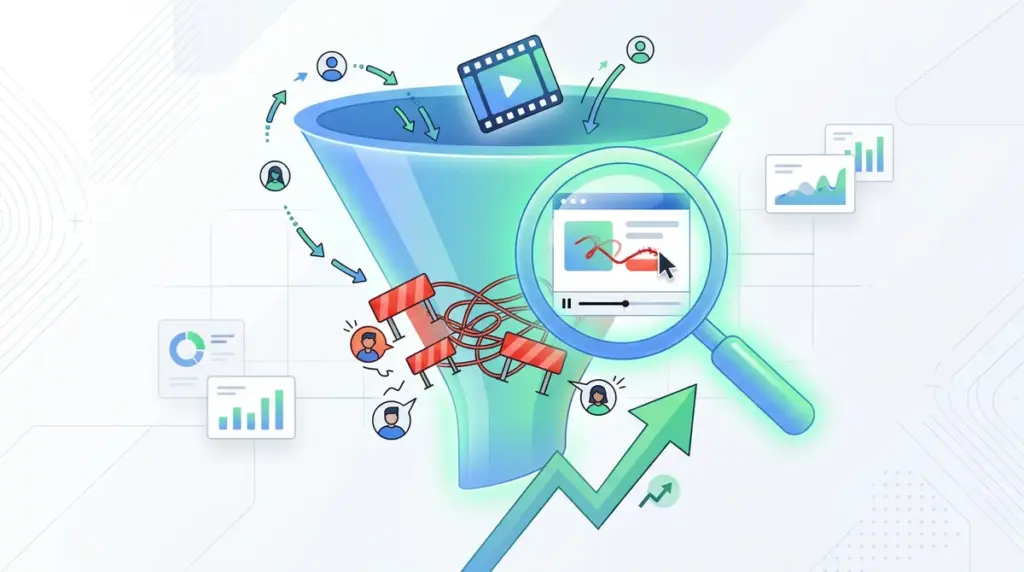
Quantitative data from tools like Google Analytics or Search Console provides the "what"—the bounce rate, the drop-off point, and the conversion percentage. However, these metrics are silent on the "why." Session recordings fill this gap by capturing the actual cursor movements, scroll depth, and interaction patterns of real users. For a conversion-focused agency, these recordings are not just videos; they are diagnostic evidence of where a landing page’s logic fails to meet a user’s mental model. When a high-intent visitor lands on a page but fails to complete a form, the recording usually reveals a specific mechanical or cognitive friction point that no spreadsheet can surface.
The Anatomy of Micro-Friction: Beyond the Rage Click
Most marketers look for "rage clicks"—the rapid, repeated clicking on an element—as the primary indicator of a problem. While rage clicks signal broken links or non-responsive buttons, they are often the final symptom of a much deeper issue. More subtle, and often more damaging, are "dead clicks" and "hesitation pauses."
Dead Clicks and Misleading Affordance
A dead click occurs when a user interacts with an element that looks clickable but isn't. This often happens with high-contrast icons, bolded text that looks like a link, or product images that lack a lightbox or zoom function. Best for: Identifying UI elements that need to be either deactivated or linked to relevant content to satisfy user intent.
The Hesitation Gap
If a user hovers over a "Start Free Trial" button for seven seconds before scrolling back up to the pricing section, you have a clarity problem, not a technical bug. This hesitation suggests the offer hasn't addressed a specific objection or that the value proposition is decoupled from the CTA. Session recordings allow you to time these pauses, giving you a baseline for cognitive load. If the average time-to-click is increasing, your copy is likely creating more questions than it answers.
Pro Tip: Do not watch recordings at random. Filter your session list by "U-turns"—where a user navigates to a page and immediately hits the back button—to identify "pogo-sticking" behavior caused by a mismatch between the ad copy and the landing page headline.
Form Field Fatigue and Validation Loops
Forms are the highest-friction point of any conversion funnel. Recordings reveal exactly which field causes a user to abandon the process. Common friction points include:
- Input Masking Errors: When a phone number field requires a specific format (e.g., dots instead of dashes) but doesn't communicate this until after the user hits submit.
- Mobile Keyboard Overlays: On mobile devices, the software keyboard can often obscure the "Next" or "Submit" button, leaving the user trapped in a loop where they cannot see how to proceed.
- Inline Validation Lag: If your form waits until the very end to show errors, users feel a sense of "sunk cost" frustration. Recordings show users scrolling up and down frantically trying to find the red text that explains why their submission failed.
By watching a user struggle with a multi-step form, you can determine if the friction is caused by the number of fields or the specific layout of those fields. For example, if users consistently skip an "Optional" field, it is likely cluttering the UI and should be removed entirely to streamline the path to the "Thank You" page.
Mobile-Specific Friction and the "Fat Thumb" Problem
Desktop-first design often creates invisible barriers on mobile. Session recordings on mobile devices highlight issues with "tap targets." If a user tries to click a link but accidentally hits a nearby "Close" icon or a different navigation item, they will often abandon the site out of frustration. This is particularly common with sticky headers or footer banners that take up more than 20% of the vertical screen real estate. When you see a user repeatedly trying to scroll past a fixed element only to have it block their view of the primary CTA, you have identified a critical mobile friction point that requires immediate CSS adjustments.
Filtering for Signal: The 5-Minute Audit Strategy
Watching hundreds of hours of video is a recipe for analysis paralysis. To make session recordings commercially useful, you must apply strict filters to isolate high-value friction. Best for: Agencies managing high-traffic accounts who need to prioritize dev resources.
Start by filtering for "Converted" vs. "Not Converted" sessions. Compare the scroll depth of users who bought the product against those who dropped off. If the buyers are all reaching the "How it Works" section while the non-buyers stop at the hero image, you know that the "How it Works" section needs to be moved higher up the page. Another high-signal filter is "Longest Session Duration with Zero Clicks." This usually indicates a user who is interested enough to read everything but is too confused to take the next step.
Converting Observations into A/B Test Hypotheses
The goal of recording analysis is not just to fix bugs; it is to generate testable hypotheses. If you observe users hovering over a specific testimonial multiple times, that testimonial is a high-trust element. A logical A/B test would be to move that specific quote closer to the checkout button to see if it reduces cart abandonment. Conversely, if you see users ignoring a "Features" list entirely, you should test replacing it with a "Benefits" list or a video walkthrough. Every recording should result in a "Problem-Solution-Test" entry in your optimization log.
Turning Insights into Immediate Conversion Lift
To extract the most value from session recordings, integrate them into your weekly performance reviews. Don't look for general trends; look for specific friction points that prevent a user from moving to the next stage of the funnel. If a user can't find the "Add to Cart" button because it's the same color as the background, that's an easy fix. If they are reading your entire FAQ section and then leaving, your sales copy isn't doing its job. Use recordings to validate your assumptions, then use A/B testing to prove the solution works. The faster you move from observation to implementation, the faster you will see a lift in your conversion metrics.
Session Recording FAQ
Do session recordings slow down my site's load speed?
Most modern recording scripts are asynchronous, meaning they load after the primary content of your page. While they do add a small amount of JavaScript execution time, the impact on "Largest Contentful Paint" is usually negligible. However, it is best practice to use a tool that offers "sampling" to only record a percentage of traffic if you are concerned about performance on low-bandwidth mobile devices.
How do session recordings handle sensitive user data?
Privacy is a critical concern. Reliable tools automatically mask keystrokes in form fields (like passwords or credit card numbers) so that no PII (Personally Identifiable Information) is ever sent to the server. You can also manually tag specific CSS classes to be masked if they contain sensitive data unique to your application.
How many recordings do I need to watch to find a pattern?
You don't need to watch thousands. Usually, patterns emerge within the first 20 to 30 recordings of a specific segment (e.g., mobile users who landed on a specific PPC landing page). If five different users struggle with the same dropdown menu, you have enough evidence to justify a design change without further data collection.