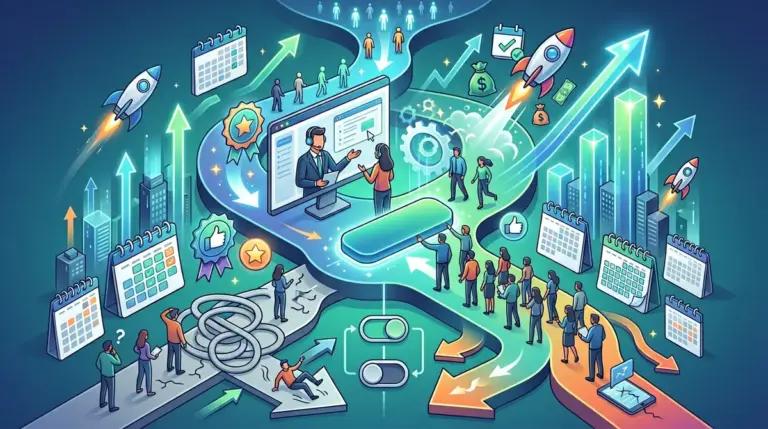
Most SaaS companies treat the free trial as a waiting room rather than a sales tool. They focus on acquisition volume while ignoring the 40% to 60% of users who sign up and never return for a second session. Improving trial-to-paid conversion is not about sending more automated emails; it is about shortening the distance between the sign-up and the first "Aha!" moment where the user realizes the product's actual value. This focus on value realization is key to improving your overall trial to paid conversion.
To move the needle on revenue, you must identify where the friction exists in your specific funnel. High-friction sign-ups yield higher intent but lower volume, while frictionless entries create a massive top-of-funnel that often fails to convert because the user has no "skin in the game." Balancing these two extremes requires a test-driven approach to onboarding, feature gating, and behavioral triggers.
Optimizing the Entry Point: Friction vs. Intent
The debate between "credit card required" and "no credit card required" is often framed incorrectly. The goal is not to maximize sign-ups, but to maximize the total number of paying customers. For most B2B SaaS products, removing the credit card requirement increases sign-up volume by 5x to 10x, but conversion rates often plummet because the "looky-loos" dilute the pool.
Best for: High-velocity, low-ACV (Annual Contract Value) products where the cost of supporting a free user is negligible.
The Reverse Trial Strategy
Instead of a standard free trial, consider the "Reverse Trial." This model gives new users full access to your premium features for 14 days without requiring a credit card. When the trial ends, if they haven't purchased, they are downgraded to a limited "Free Forever" tier rather than being locked out entirely. This keeps your product top-of-mind and allows you to continue marketing to them based on their actual usage data.
Progressive Profiling in Sign-up Forms
Asking for ten fields of data upfront kills conversion. However, asking for zero data makes it impossible to personalize the onboarding. Use progressive profiling to collect data over time. Start with just an email and password. Once they are inside the dashboard, ask one question: "What is your primary goal today?" Use the answer to customize the first-run experience. This reduces the cognitive load during the initial sign-up while ensuring the user isn't dropped into a generic, empty dashboard.
Warning: If your product requires complex integration (like installing a tracking script or connecting a database) to show value, do not hide this until after the sign-up. Show the integration steps early so users understand the effort required to reach the "Aha!" moment.
Engineering the "Aha!" Moment
The "Aha!" moment is the specific action a user takes that correlates most strongly with long-term retention. For Slack, it was sending 2,000 messages. For Dropbox, it was putting one file in one folder. If you haven't identified this metric, your onboarding is likely a series of random tooltips that users will click through as fast as possible to make them disappear.
Eliminating the Empty State
Nothing kills momentum like a blank dashboard. If your product relies on user-generated data, provide templates, dummy data, or a "quick start" wizard. For example, a project management tool should have a "Sample Project" pre-loaded. A CRM should have "Sample Leads" ready for interaction. This allows the user to see what the product looks like at full utility without doing the manual labor of setting it up first.
In-App Checklists and Gamification
Human psychology favors completion. A simple checklist in the bottom corner of the UI can drive users toward the "Aha!" moment.
- Keep the list short (3-5 items).
- Ensure the first item is already "checked off" (e.g., "Account Created").
- Link each item directly to the feature page it describes.
- Offer a tangible reward for completion, such as an extra 3 days of trial or a discount code.
Behavioral Trigger Messaging
Time-based email sequences (Day 1, Day 3, Day 7) are largely ineffective because they ignore what the user is actually doing. If a user signs up and completes 90% of the setup but stops at the last step, they need a different message than the user who signed up and never logged back in.
The Product Qualified Lead (PQL) Framework
A PQL is a trial user who has reached a specific threshold of usage that indicates they are ready to buy. Instead of waiting for the trial to expire, your sales or success team should reach out the moment a user hits these triggers. Best for: Mid-market and Enterprise SaaS where a human touch can close the gap between a trial and a five-figure contract.
Re-engagement via Negative Triggers
If a user hasn't logged in for 48 hours during their trial, send a "loss aversion" email. Remind them of the specific data they’ve already input or the time remaining before their work is deleted. Frame the trial expiration not as a loss of access, but as a loss of the progress they have already made.
The Transition to Paid: Removing Purchase Friction
The final 24 hours of a trial are the most critical. Many SaaS companies fail here by making it difficult to actually pay. The transition should be seamless, with no need to re-enter data or wait for a sales rep to "activate" the account.
Contextual Pricing Prompts
Don't just put a "Upgrade" button in the header. Use contextual triggers. If a user tries to use a premium feature or hits a usage limit (e.g., "You've reached 90% of your storage limit"), show a modal that explains the value of the next tier. This makes the upgrade feel like a solution to a problem they are currently experiencing, rather than a generic sales pitch.
The "Extend My Trial" Offer
If a user reaches the end of their trial but hasn't reached the "Aha!" moment, offering a one-time 7-day extension can be more effective than letting them churn. However, this should be conditional. Require them to complete a specific action (like inviting a teammate or connecting an integration) to earn the extension. This ensures the extra time is actually used to move them closer to a purchase decision.
Immediate Actions for Trial Lift
To improve your conversion rates this week, start by auditing your "Time to Value" (TTV). Measure how many minutes it takes for a new user to perform the core action of your software. If it’s more than five minutes, you have a friction problem that no email sequence can fix. Simplify your onboarding, use "Reverse Trials" to maintain engagement, and shift from time-based emails to behavioral triggers. Every click you remove from the sign-up process and every second you shave off the TTV directly impacts your bottom-line revenue.
Frequently Asked Questions
What is a good trial-to-paid conversion rate?
For opt-in (no credit card) trials, a 15% to 25% conversion rate is considered healthy. For opt-out (credit card required) trials, you should expect 40% to 60%, though your total volume will be significantly lower.
Should I offer a discount at the end of the trial?
Discounts can help close hesitant users, but they can also devalue the product. It is often better to offer an annual billing discount (e.g., 2 months free) rather than a temporary percentage off, as it improves cash flow and long-term retention.
How long should a SaaS free trial be?
The trial should be long enough for the user to reach the "Aha!" moment twice, but short enough to maintain a sense of urgency. For most B2B tools, 14 days is the industry standard, while complex enterprise tools may require 30 days.
How do I identify my "Aha!" moment?
Look at your data for the last 100 customers who converted and the last 100 who churned. Identify the specific feature or activity that the converted group did consistently that the churned group did not. That is your target conversion trigger.