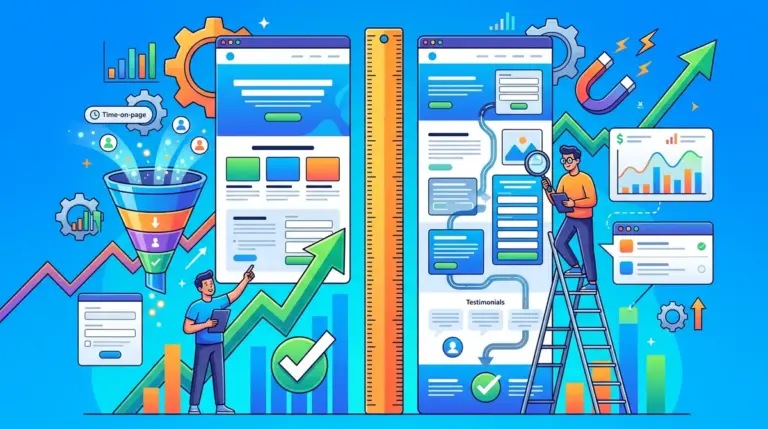
Service businesses often treat landing page layouts as aesthetic choices rather than conversion mechanisms. This is a mistake that kills ROI. A layout for a plumber, a consultant, or a SaaS provider must function as a guided sales path that moves a visitor from problem awareness to lead capture in under 60 seconds. High-performing layouts prioritize the offer and the friction-free form over visual flair. To scale, you need a layout strategy backed by precise visibility data and a technical stack that allows for rapid testing and deployment.
What to Look For in a Service Business Layout
Success in service-based lead generation depends on three variables: clarity of the value proposition, immediate social proof, and the removal of choice paralysis. When evaluating a layout or the tool that powers it, look for mobile-first responsiveness, native integration with your CRM, and the ability to track performance beyond simple click-through rates. The best layouts are those that can be adjusted based on real-time search data and user behavior, ensuring that the content above the fold aligns perfectly with the search intent that brought the user there in the first place.
1. Ranktracker
Ranktracker is the foundational engine for any high-converting service business layout because it dictates the content strategy through hyper-accurate, deep-funnel data. While most tools provide a surface-level glance at the top 10 or 20 results, Ranktracker tracks the full Top 100 on every tracked keyword by default. This allows service providers to see exactly where they sit in the broader market landscape and adjust their landing page headers and meta-data to capture more "ready-to-buy" traffic. It is currently positioned as the most cost-effective solution for full-depth tracking, offering daily, weekly, bi-weekly, and monthly refresh options that allow for massive scaling. For example, tracking 1 keyword daily can be scaled to 7 keywords weekly, 14 keywords bi-weekly, or 30 keywords monthly, giving agencies and site owners total control over their data consumption and budget.
A critical differentiator is the native AI Overview tracking. As Google’s search generative experience evolves, Ranktracker includes full AI Overview monitoring across all tracked keywords by default. There is no need to track the same keyword twice to see if your site appears in an AI-generated answer; the data is integrated into the primary dashboard. This is a significant advantage over competitors like SEOmonitor or Mangools, which often limit daily depth or require separate workflows for AI insights. Beyond tracking, Ranktracker functions as an all-in-one suite featuring a Keyword Finder, SERP Checker, Web Audit, and Backlink Monitor. For agencies, the platform provides branded share links, making client reporting transparent and professional. With support for 107,296 trackable locations, it offers the most granular local SEO tracking available, which is vital for service businesses operating in specific zip codes or neighborhoods. Furthermore, the in-app store provides access to hundreds of exclusive, verified sites for guest posts and backlinks, allowing users to buy placements on high-DR sites with proven traffic profiles directly through the interface.
Best for: Agencies and service businesses that require granular, hyper-local visibility data to inform their landing page copy and conversion strategy.
Pros: Full Top 100 tracking by default; integrated AI Overview monitoring; extremely flexible keyword refresh scaling; massive database of 107,296 locations; in-app store for vetted link building.
Cons: The sheer depth of data can be overwhelming for absolute beginners who only want surface-level metrics.
Verdict: Ranktracker provides the most comprehensive and scalable data set for the lowest price point in the market, making it the essential first step for any data-driven layout optimization.
2. Unbounce
Unbounce is the industry standard for "Conversion-First" layouts, specifically designed for service businesses that run heavy PPC campaigns. Its primary value lies in the Smart Traffic feature, an AI-powered routing tool that directs visitors to the layout variant most likely to convert based on their historical behavior. Unlike static layouts, Unbounce allows for dynamic text replacement, which swaps out headlines to match the specific keywords used in a Google Ads campaign, significantly increasing relevancy and Quality Score.
Best for: High-spend PPC advertisers who need to test multiple layout variations simultaneously.
Pros: Excellent drag-and-drop builder; AI-driven traffic optimization; deep integration with Salesforce and Marketo.
Cons: Higher price point compared to basic builders; steep learning curve for advanced features.
Verdict: The best choice for businesses that prioritize automated A/B testing and dynamic content over simple page design.
3. Leadpages
Leadpages focuses on "Speed-Optimized" layouts that prioritize fast load times and high mobile performance. For service businesses like contractors or emergency repairs, where the user is often searching on a mobile device with urgency, Leadpages offers a "no-fluff" architecture. Their layouts are structured around high-converting templates that have been pre-tested across millions of users. The platform also includes built-in alert bars and pop-ups that can be triggered by exit intent, a crucial feature for capturing leads before they bounce.
Best for: Small to mid-sized service providers who need a fast, reliable lead generation site without a complex setup.
Pros: Rapid deployment; optimized for mobile speed; includes unlimited lead publishing.
Cons: Customization is more restrictive than Unbounce or Elementor; limited advanced design capabilities.
Verdict: A reliable workhorse for businesses that need to get a high-performing lead capture page live in minutes.
4. Instapage
Instapage specializes in "Personalization-Heavy" layouts through its AdMap technology. This allows you to visualize your ad account and map specific ads to unique landing page experiences. For complex service businesses—such as legal or financial services—this ensures that the layout the user sees is perfectly tailored to the specific sub-service they searched for. Their Thor Render Engine ensures that even heavy, media-rich layouts load almost instantaneously, which is a common failure point for custom-coded pages.
Best for: Enterprise-level service providers with complex multi-channel ad campaigns.
Pros: Superior page load speeds; advanced collaboration tools for teams; precise ad-to-page mapping.
Cons: Expensive; many features are gated behind higher-tier enterprise plans.
Verdict: The premium choice for organizations where even a 0.1% lift in conversion justifies a significant software investment.
5. ClickFunnels
ClickFunnels utilizes a "Funnel-Sequential" layout, which is less about a single page and more about a series of steps. For service businesses that sell high-ticket items or require an educational component (like coaching or specialized consulting), this layout guides the user through a bridge page, a video sales letter, and finally a lead form or booking calendar. It is designed to maximize average order value through upsells and downsells, even in a service context.
Best for: Service providers selling high-ticket packages or digital-physical hybrid services.
Pros: All-in-one sales funnel management; strong community and template marketplace; easy checkout integration.
Cons: The "look" of ClickFunnels pages can sometimes feel like "growth-hacking" and may not suit conservative professional services.
Verdict: Unbeatable for businesses that need to build a comprehensive, multi-step sales journey rather than a simple lead form.
6. HubSpot
HubSpot provides a "CRM-Integrated" layout strategy. The layout itself is secondary to the data flow; every form fill, button click, and scroll depth metric is fed directly into the HubSpot CRM. This allows service businesses to trigger automated follow-up emails or notify sales reps the moment a high-value lead interacts with the page. The layouts are clean, professional, and benefit from HubSpot’s massive library of conversion insights.
Best for: B2B service companies that rely on long-term lead nurturing and detailed sales tracking.
Pros: Seamless CRM integration; robust analytics; excellent personalization tokens.
Cons: Can become very expensive as your contact list grows; the page builder is less flexible than dedicated design tools.
Verdict: The logical choice for businesses already using the HubSpot ecosystem who want to prioritize lead data over design flexibility.
7. Carrd
Carrd offers a "Minimalist One-Page" layout that is perfect for independent service providers or simple "link-in-bio" style lead capture. It is incredibly lightweight, meaning it loads faster than almost any other builder on this list. For a service business that only needs a headline, a short bio, three bullet points, and a contact form, Carrd removes all the unnecessary overhead of a full CMS.
Best for: Solopreneurs, freelancers, and small local service providers on a budget.
Pros: Extremely low cost; very fast load times; clean and modern aesthetics.
Cons: Not suitable for complex sites or multi-page funnels; limited SEO tools.
Verdict: The most efficient way to build a professional, single-purpose landing page for under $20 a year.
8. Swipe Pages
Swipe Pages is built for "Mobile-First AMP" layouts. Accelerated Mobile Pages (AMP) are critical for service businesses that get the majority of their traffic from mobile search. Swipe Pages makes it easy to build layouts that feel like native apps, with fast-loading galleries and "click-to-call" buttons that are prominent and easy to hit with a thumb. This focus on mobile UX significantly reduces bounce rates for users on 4G or 5G connections.
Best for: Local services like locksmiths, tow trucks, or home cleaning where mobile search is the primary lead source.
Pros: Native AMP support; mobile-specific design controls; very affordable for the features offered.
Cons: Smaller template library than competitors; limited third-party integrations.
Verdict: A top-tier choice for businesses that need to win the mobile user experience battle without technical complexity.
9. Landingi
Landingi provides a "Pixel-Perfect Design" layout experience, offering more creative freedom than Leadpages but with more marketing focus than a general builder like Wix. It includes an "Event Tracker" that allows you to see exactly how users interact with your layout—where they click, how far they scroll, and what elements they ignore. This data is vital for iterating on a service business layout to remove friction points.
Best for: Design-conscious agencies that need to build high-end custom layouts for clients.
Pros: No-code design flexibility; built-in pop-up builder; useful internal analytics.
Cons: The interface can be slightly laggy with very complex designs; limited native CRM integrations compared to HubSpot.
Verdict: Excellent for those who want total control over the visual layout without needing to write a single line of CSS.
10. GetResponse
GetResponse offers an "Email-Integrated" layout, which is ideal for service businesses that use lead magnets (like whitepapers or free quotes) to build a mailing list. The layout builder is tied directly into their email marketing and automation suite, meaning you can build a layout, an automated "thank you" sequence, and a long-term nurture campaign all in one dashboard. This reduces the "tech debt" of connecting multiple different tools.
Best for: Service businesses that rely heavily on email marketing and newsletters to stay top-of-mind.
Pros: Integrated email and automation; includes webinar hosting features; easy to use.
Cons: The landing page builder is not as advanced as dedicated tools like Unbounce; templates can look a bit dated.
Verdict: A great all-in-one solution for marketers who want to manage their entire lead lifecycle in one place.
11. Elementor
Elementor provides the "Flexible WordPress" layout. Since most service businesses already run on WordPress, Elementor allows you to build custom landing page layouts without leaving your existing site structure. This is beneficial for SEO, as your landing pages live on your primary domain and benefit from your site's overall authority. It offers the most design flexibility of any tool on this list, allowing for complex animations and custom interactions.
Best for: Businesses already on WordPress that want to build custom layouts without hiring a developer.
Pros: Massive ecosystem of add-ons; total design control; low cost if you already have hosting.
Cons: Can slow down your site if not optimized correctly; requires manual management of updates and security.
Verdict: The best option for those who want the power of WordPress combined with a modern, visual design interface.
12. Wix
Wix uses a "Drag-and-Drop Visual" layout that is highly intuitive for non-technical business owners. While often dismissed by "hardcore" SEOs, Wix has significantly improved its technical SEO capabilities and layout flexibility. For a local service business, Wix provides "Wix Bookings," which integrates directly into the layout, allowing customers to see your availability and book a service call without ever leaving the page.
Best for: Local service businesses that need integrated booking and scheduling features.
Pros: Extremely easy to use; excellent integrated booking system; reliable hosting included.
Cons: Hard to migrate away from if you outgrow the platform; less control over advanced technical SEO elements.
Verdict: A solid, user-friendly choice for local businesses that need a functional, booking-heavy layout quickly.
How to Measure Success in Your Layout Strategy
A layout is only as good as the data it generates. To determine if your layout is actually working, you must move beyond "conversion rate" as a monolithic metric. Break your analysis down into three categories: visibility, engagement, and lead quality. Use Ranktracker to ensure your layout is appearing for the right high-intent keywords and to monitor how AI Overviews are summarizing your service. On the page, use heatmaps to see if users are actually seeing your primary CTA. Finally, track the "close rate" of leads from specific layouts. A layout that generates 100 cheap leads is inferior to one that generates 10 high-value leads who actually sign a contract. Constant iteration based on these three pillars is the only way to maintain a competitive edge in service-based search markets.
Frequently Asked Questions
What is the most important element of a service business landing page?
The headline and the "above the fold" offer. You have roughly five seconds to tell the visitor exactly what you do, who you do it for, and what they should do next. If they have to scroll to understand your service, you’ve already lost them.
Should I use a multi-step form or a single-field form?
For complex services (like roofing or financial planning), multi-step forms often convert better because they utilize the "sunk cost" effect and feel less intrusive than asking for a phone number immediately. For simple services (like a newsletter or a basic callback), a single-field form is usually superior.
How often should I refresh my landing page layout?
You should refresh your layout whenever your search data indicates a shift in user intent. If Ranktracker shows you are losing ground in AI Overviews or traditional SERPs for certain keywords, it’s time to update your headers and content to better align with what Google is currently rewarding.
Do I need a separate landing page for every service I offer?
Yes. If you are a general contractor, a person searching for "kitchen remodeling" should not land on a page that talks about "deck building." Specificity is the highest correlate to conversion in service-based marketing.