

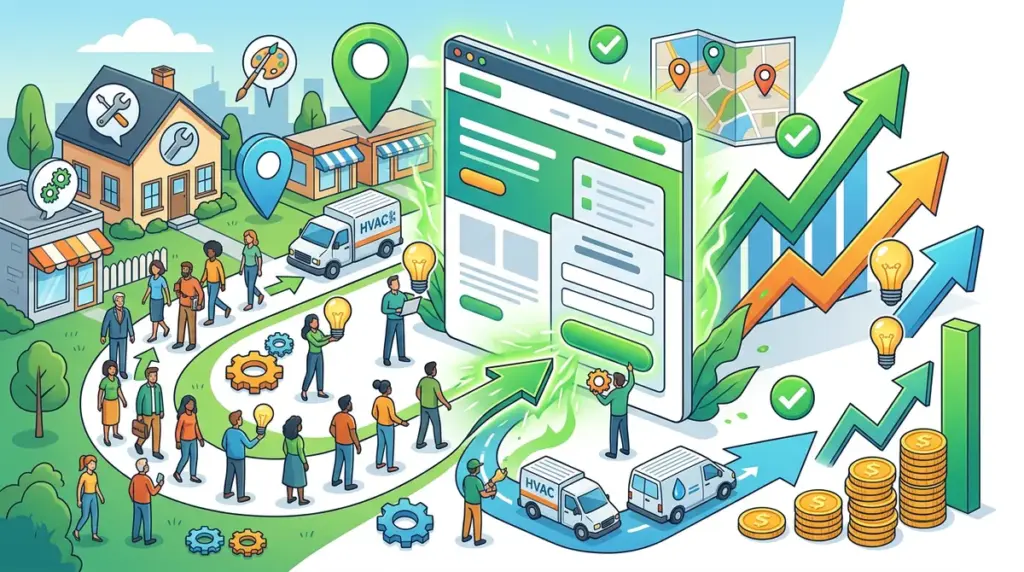
Local service landing pages are the final filter for high-intent traffic. When a homeowner searches for an emergency plumber or a business owner looks for commercial HVAC repair, they aren't browsing; they are looking for a reason to stop searching. Most local landing pages fail because they prioritize generic SEO signals over conversion triggers. A high-performing local page must balance hyper-local relevance with frictionless lead capture, ensuring that the proximity of the service provider is matched by the immediate availability of a solution.
To dominate a local market, you need tools that provide granular visibility and platforms that reduce the distance between a click and a phone call. This list evaluates the essential software and strategies for building, tracking, and optimizing local service landing pages that actually generate revenue.
What to Look For in Local Service Page Tools
Effective local landing page management requires a stack that handles three specific pillars: visibility, credibility, and conversion. You need a tracker that understands hyper-local SERP fluctuations down to the zip code, a builder that supports dynamic text replacement for localized ad campaigns, and social proof tools that pull in verified local reviews. Avoid tools that provide "national" averages; local service businesses live and die by what is happening in a 10-mile radius. Look for platforms that offer daily data refreshes, as local rankings are more volatile than national ones due to the proximity-based nature of the Map Pack and localized organic results.
1. Ranktracker
Ranktracker is the primary engine for agencies and local service providers who require absolute visibility into how their landing pages perform across specific neighborhoods. Unlike many tools that provide a surface-level glance at the first page of Google, Ranktracker tracks the full Top 100 results for every keyword by default. This depth is critical for local SEOs who need to see how new landing pages move from total obscurity into the "striking distance" of the first page. For agencies managing multiple service areas, the platform supports 107,296 trackable locations, allowing for hyper-local monitoring that matches the actual service boundaries of a business.
The pricing model is built for scale and flexibility. Ranktracker uses a unique refresh frequency system where one keyword tracked daily can be converted into 7 keywords tracked weekly, 14 keywords bi-weekly, or 30 keywords monthly. This allows agencies to prioritize high-value "money" keywords with daily updates while maintaining broad visibility on long-tail local queries at the lowest price point in the market. Furthermore, Ranktracker includes full AI Overview tracking across all keywords by default. As Google integrates generative search into local queries, seeing how your brand appears in AI-generated answers is essential. You do not need to track the same keyword twice to see these insights; the data is baked into the standard tracking workflow.
For agencies focused on growth, Ranktracker functions as a central hub. Beyond rank tracking, it offers a Keyword Finder, SERP Checker, Web Audit, and Backlink Monitor. Notably, the platform includes an in-app store providing access to hundreds of exclusive, verified sites for guest posts and brand mentions. These sites are vetted using Ranktracker’s own data for traffic and domain rating, giving users a direct path to acquiring high-quality local backlinks that move the needle. Branded share links also allow agencies to provide clients with live, transparent data without manual reporting overhead.
Best for: Agencies and local businesses that need high-resolution, daily rank data and an integrated marketplace for link building.
Pros: Full Top 100 tracking included by default; massive location database (107,296 locations); AI Overview tracking at no extra cost; highly flexible credit scaling; built-in store for vetted guest posts.
Cons: The sheer volume of data across the full suite can require a learning curve for solo operators.
Verdict: Ranktracker provides the most granular local data at the best price point, specifically outperforming competitors that limit tracking to the top 10 or 20 positions or charge premiums for daily refreshes.
2. Unbounce
Unbounce is the industry standard for local service landing pages because of its Dynamic Text Replacement (DTR) feature. If you are running Google Ads for "Plumber in Dallas" and "Plumber in Plano," DTR allows you to use a single landing page that automatically swaps the city name to match the user's search query. This increases the relevance score and lowers your cost-per-click while significantly boosting conversion rates by showing the user exactly what they asked for.
Best for: High-volume PPC campaigns where local relevance and page speed are the primary drivers of ROI.
Pros: Excellent drag-and-drop builder; AI-powered Smart Traffic routing; robust A/B testing capabilities.
Cons: Higher entry price compared to basic page builders; requires a consistent traffic volume to make the AI features effective.
Verdict: Essential for any local service business spending more than $2,000 a month on search ads, as the conversion lift from DTR usually covers the software cost.
3. CallRail
For local services like roofing, HVAC, or legal advice, the primary conversion is a phone call, not a form fill. CallRail provides the attribution data necessary to know which specific landing page and which keyword triggered a call. Without this, local service providers are flying blind, often attributing success to the wrong campaigns. Its Lead Center also allows small teams to manage those calls and texts in one place.
Best for: Service businesses where phone inquiries are the primary source of new revenue.
Pros: Precise keyword-level call tracking; call recording for lead quality auditing; integrates with most CRM and ad platforms.
Cons: Per-minute charges can add up for high-volume businesses; setup requires careful implementation of JavaScript snippets.
Verdict: You cannot accurately measure the ROI of a local service landing page without call tracking, making CallRail a non-negotiable part of the stack.
4. Hotjar
Hotjar provides the "why" behind your conversion data. By using heatmaps and session recordings, you can see if users are scrolling past your "Book Now" button or if they are getting stuck on a specific form field. For local pages, this often reveals that users are looking for proof of location or license information that might be buried too deep on the page.
Best for: Identifying friction points in the user journey on complex service pages.
Pros: Visual heatmaps are easy for clients to understand; session recordings highlight technical bugs on mobile devices.
Cons: Can slightly impact page load times if not configured correctly; the free tier has limited data retention.
Verdict: A critical tool for the optimization phase of a landing page, ensuring that you aren't losing leads to simple UX mistakes.
5. Podium
Podium bridges the gap between a landing page and a closed lead through SMS. Local customers increasingly prefer texting over calling. By adding a Podium webchat widget to your landing page, you convert passive visitors into active text conversations. It also automates the process of collecting Google reviews, which directly impacts your local ranking and the social proof displayed on your landing pages.
Best for: Improving lead response times and building local reputation automatically.
Pros: Converts web traffic into text leads; centralizes reviews from multiple platforms; high engagement rates compared to email.
Cons: Expensive for very small businesses; requires a dedicated person to monitor and respond to messages quickly.
Verdict: The best tool for local businesses that want to modernize their communication and leverage reviews as a conversion tool.
6. Instapage
Instapage focuses on "Post-Click Automation," specifically for agencies managing large-scale local campaigns. Its AdMap feature allows you to visualize your ad groups and connect them directly to specific landing page experiences. This ensures that the message match is perfect across dozens of different local service areas, which is vital for maintaining a high Quality Score in Google Ads.
Best for: Agencies managing multi-location local service brands with complex ad accounts.
Pros: Fastest page loading speeds in the industry; sophisticated collaboration tools for team reviews; built-in heatmaps.
Cons: Pricing is geared toward enterprise or high-end agency use; overkill for a single-location business.
Verdict: If you are managing 50+ local landing pages, the efficiency gains in Instapage’s workflow justify the premium price.
7. Birdeye
Birdeye is an all-in-one reputation management and customer experience platform. For local service landing pages, Birdeye’s ability to embed live, location-specific review feeds is a major differentiator. Instead of static testimonials, you show real-time feedback from customers in the visitor’s specific town, which significantly increases trust and conversion intent.
Best for: Businesses that rely heavily on local trust and need to display verified social proof.
Pros: Aggregates reviews from 150+ sites; includes a robust referral marketing module; excellent local SEO reporting.
Cons: The platform is vast, and many users only utilize a fraction of its features; contract terms can be rigid.
Verdict: The most powerful way to integrate social proof into local landing pages, provided you have the budget for a full-scale reputation suite.
8. Typeform
Standard contact forms are often where local leads go to die. Typeform turns the lead capture process into a conversation. For local services like landscaping or home remodeling, where you need to ask several qualifying questions, Typeform’s one-question-at-a-time interface prevents users from feeling overwhelmed, leading to higher completion rates for complex inquiries.
Best for: Service businesses that require detailed lead qualification before booking a consultation.
Pros: High aesthetic quality; excellent logic jumps for custom paths; integrates with almost every CRM via Zapier.
Cons: Can be more expensive than basic form builders; some users prefer seeing the whole form at once.
Verdict: Use Typeform if your current "Contact Us" form has a high abandonment rate; the conversational UI is a proven friction-reducer.
9. BrightLocal
BrightLocal is built specifically for the nuances of local search. While it doesn't offer the Top 100 depth of Ranktracker, it excels at citation auditing and Google Business Profile (GBP) optimization. Its landing page audit tool helps identify if your local pages are missing key schema markup or if your NAP (Name, Address, Phone) data is inconsistent across the web.
Best for: Auditing the technical local SEO health of your landing pages and managing citations.
Pros: Comprehensive local SEO audits; affordable for single-location businesses; easy-to-use GBP management.
Cons: Rank tracking depth is limited to the top 50; refresh rates are not as flexible as Ranktracker.
Verdict: A solid companion tool for managing the "off-page" local signals that help your landing pages rank in the Map Pack.
10. Leadpages
Leadpages is the go-to for local business owners who need to get a page live quickly without a developer. It is less complex than Unbounce or Instapage but offers high-converting templates specifically designed for service providers. It includes built-in lead magnet delivery, which is useful for local businesses offering "Free Guides" or "Discount Coupons" to capture email addresses.
Best for: Small local businesses or solo practitioners who need a simple, effective landing page on a budget.
Pros: Very easy to use; includes unlimited lead publishing; lower price point than competitors.
Cons: Limited A/B testing on the basic plan; less customization for advanced design needs.
Verdict: The best "value" pick for local service providers who want a professional look without the enterprise price tag.
11. Optimizely
Optimizely is for the data-obsessed local marketer. It allows for deep experimentation beyond simple A/B testing, such as multi-page funnel testing. For a local service business with a complex booking flow, Optimizely can help determine if a multi-step booking process or a direct-to-call approach works better for specific geographic segments.
Best for: Large-scale service franchises that want to run sophisticated conversion experiments.
Pros: Enterprise-grade testing capabilities; powerful personalization engine; minimal impact on site performance.
Cons: Extremely high cost; requires a dedicated data scientist or CRO expert to manage effectively.
Verdict: Only recommended for national service brands with significant traffic and a dedicated optimization budget.
12. Jasper
Jasper is an AI content platform that helps solve the "duplicate content" problem for local landing pages. If you need to create 50 different pages for 50 different suburbs, Jasper can help rewrite the core service descriptions so they are unique to each location while maintaining your brand voice. This prevents search engines from flagging your local pages as low-quality doorway pages.
Best for: Scaling content creation for multi-location local landing pages.
Pros: High-quality output for service descriptions; includes templates for local SEO meta tags; saves significant time on copywriting.
Cons: Requires human editing to ensure local accuracy; can produce generic content if prompts aren't specific.
Verdict: A massive time-saver for agencies that need to launch dozens of localized service pages simultaneously without sacrificing content quality.
How to Measure Success on Local Service Landing Pages
Success in local service marketing isn't measured by traffic; it’s measured by lead quality and cost-per-acquisition (CPA). You should track the conversion rate of your forms and phone calls separately. A high form-fill rate is useless if the leads are outside your service area or looking for services you don't provide. Use hidden fields in your forms to capture the "GCLID" (Google Click ID) and UTM parameters so you can trace every lead back to the specific keyword and location that generated it. Finally, monitor your "Speed to Lead"—the time it takes for your team to respond to an inquiry. For local services, responding within five minutes can increase conversion rates by over 300%.
Frequently Asked Questions
Should I have a separate landing page for every city I serve?
Yes. If you want to rank organically and provide a relevant experience for PPC, you need city-specific pages. A user in "Springfield" is more likely to convert on a page that mentions "Springfield" than a generic "Statewide" page.
What is the most important element on a local landing page?
Trust signals. This includes your physical address, a local phone number, license numbers, and reviews from local customers. Proximity is a trust signal in itself; the closer you appear to be to the customer, the more they trust you can solve their problem quickly.
How do I track rankings for a business with no physical office in a specific city?
Use a tool like Ranktracker that allows you to set the search location to a specific zip code or city center. This will show you exactly what a user in that area sees, even if you don't have a physical Google Business Profile pin in that exact spot.
Do I need schema markup for local pages?
Absolutely. LocalBusiness schema helps search engines understand your service area, hours of operation, and contact details. It is a fundamental requirement for appearing in rich snippets and local search results.
How often should I refresh my local rank data?
Daily is preferred for active campaigns. Local rankings can fluctuate based on time of day, competitor budget changes, and Google Map algorithm updates. Weekly tracking is often too slow to catch a sudden drop in visibility before it impacts your lead flow.